
Features

Everything You Need to Sell Tickets and Manage Check-In

NakSeat is an event ticketing and QR check-in system built for organisers in Malaysia: a public booking page, online payments, QR tickets, multi-device scanning, partial attendance and a real-time dashboard, with team roles, CSV export and branding built in. Every feature below is included on every plan.

Selling tickets

Everything an attendee touches, from the first click on your link to the ticket in their inbox.

Public booking page

Each event gets a mobile-first booking page with its own link. Attendees see the event details, pick a date and session, choose ticket options and book in a few taps.

  • Live availability per date and session, so sold-out slots are never oversold.
  • Works in any browser with no app to install.
  • Neutral unavailable message when bookings are paused, keeping your page professional.

Online payment collection

Buyers pay through your connected Billplz account using FPX online banking and other supported methods. Revenue settles to you, not to NakSeat.

  • Automatic payment confirmation. No bank statement checking.
  • Manual sales for walk-ins and bank transfers, approved by the Merchant Owner before the ticket is released.
  • Booking totals, payment references and receipts are kept together in one record.

QR ticket generation

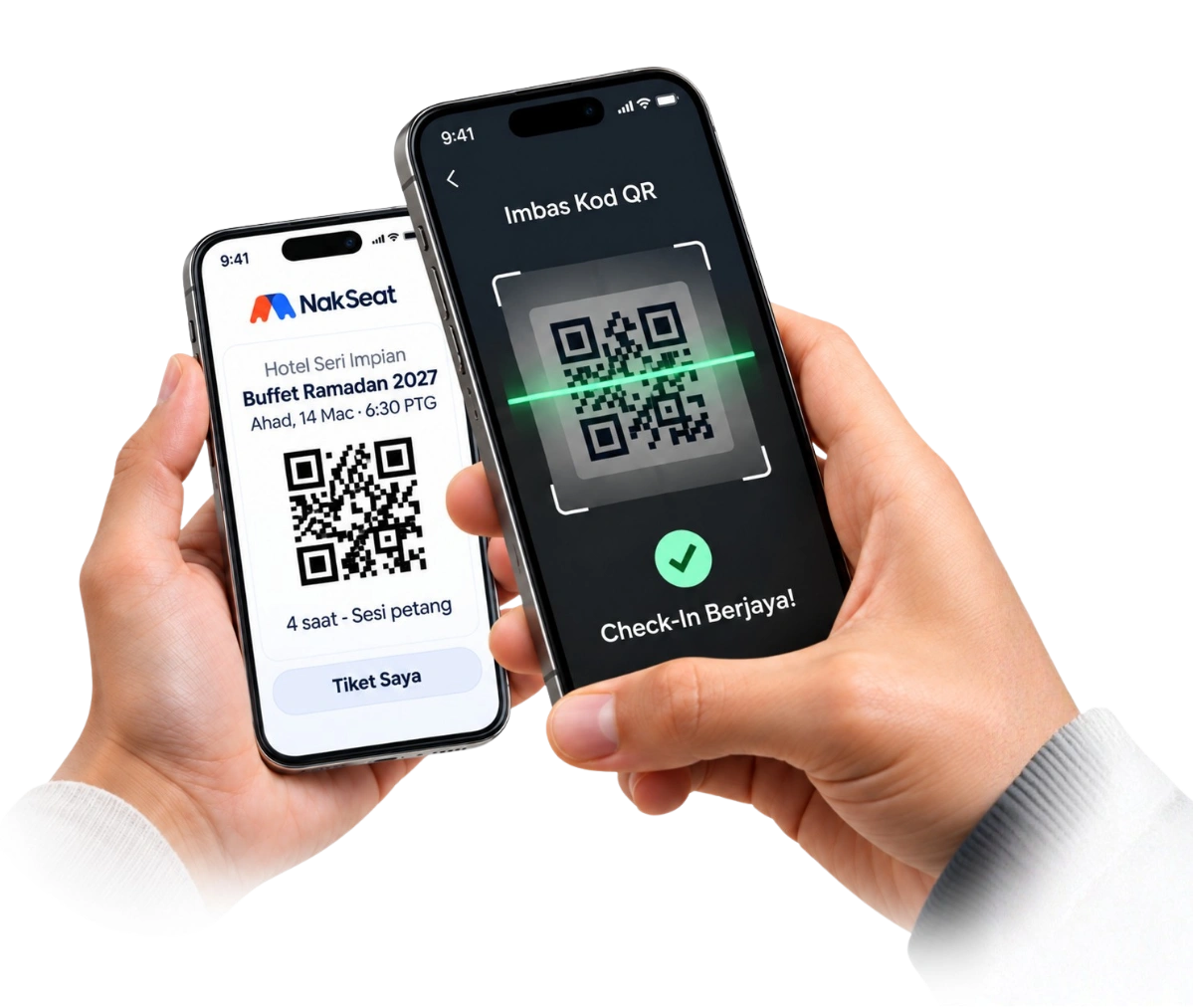
A QR ticket is created automatically the moment a payment is confirmed and sent to the buyer by email, with a PDF copy attached.

  • One QR code per booking, covering every ticket in that booking.
  • Buyers can reopen their ticket from the My Tickets page using their booking code and email.
  • Tickets stay valid even after a plan's booking allowance is used up.

Multiple programmes, dates and sessions

Run several events at once, each with its own calendar of dates and time sessions, quotas and ticket options.

  • Ideal for month-long buffet seasons, multi-day conferences or repeated training intakes.
  • Set a capacity for each session and a limit for each ticket type.
  • Ticket options with different names and prices, such as Adult, Child, Early Bird or VIP.

Event day

Fast, reliable check-in that still works when the queue is long and the group arrives in pieces.

Multi-device check-in

Any authorised team member can open the scanner on their own phone. Several people can scan at the same entrance or at different doors at once.

  • Each ticket can only be fully checked in once, even when scanned on different devices simultaneously.
  • Search by buyer name or booking code when a QR code will not scan.
  • Scanner staff see only what they need: the ticket status and how many guests remain.

Partial attendance

When a booking covers several people and they arrive separately, staff admit the guests who are present and leave the rest open for later.

  • Remaining guest count is shown on every scan.
  • The ticket is completed automatically when the last guest arrives.
  • Attendance records are kept per booking and per session.

Undo, adjust and attendance history

Mistakes happen at the door. Staff can undo a scan within a short window, authorised roles can correct a check-in count, and every change is recorded.

  • Undo a mistaken scan, or mark the remaining guests of a booking as completed when the group will not return.
  • Adjustments are limited to authorised team roles, with a history of who changed what and when.
  • Scanning continues to work while adjustments are made on another device.

Running the business

Clear numbers, the right access for each person and the tools to export and measure.

Real-time sales and attendance dashboard

See Successful Bookings, revenue, tickets sold and check-ins as they happen, filtered by today, the last seven days, this month or all time.

  • Upcoming sessions and remaining capacity at a glance.
  • Instant notification, with an optional sound, when a new booking is paid.
  • Sales attributed to the staff member or link that brought them in.

Team roles

Invite your team with the access they need. Merchant Owners manage everything, Sales Staff sell and see their own customers, and Scanners only check tickets in.

  • One person can belong to several Merchant workspaces with different roles.
  • Invitations by email with expiry and revocation.
  • Owner-only areas for subscription, payment settings and branding.

CSV export

Download your booking list with buyer details, ticket summary, payment status and attendance for planning, catering counts or an offline backup on event day.

  • Filter bookings by sales source or sales staff before exporting.
  • Opens in Excel, Google Sheets or Numbers.
  • Exports include the ticket summary for each booking.

Merchant branding

Put your own logo, brand colour and button text on the booking page, ticket and emails so attendees recognise you, not the software.

  • Logo shown on the booking page, ticket page and PDF ticket.
  • Custom call-to-action text on the booking button.
  • Your support contact shown to buyers for event questions.

Tracking and analytics support

Measure your advertising with your own Meta Pixel, TikTok Pixel, Google Analytics 4 or Google Tag Manager on your booking flow.

  • Purchase events are confirmed server-side and de-duplicated, with the real amount paid.
  • No buyer names, emails or phone numbers are sent to tracking tools.
  • Tags load only on your own booking, payment and ticket pages.

All of this is included on every plan

Plans differ only by the number of Successful Bookings each month. Start with the Free Trial, then choose a plan when you are ready. Running iftar buffets? See the dedicated buffet Ramadan booking system page.